


How to Automate Customer Service Calls With AI

Rob Petruccello
Fresh Bread Digital
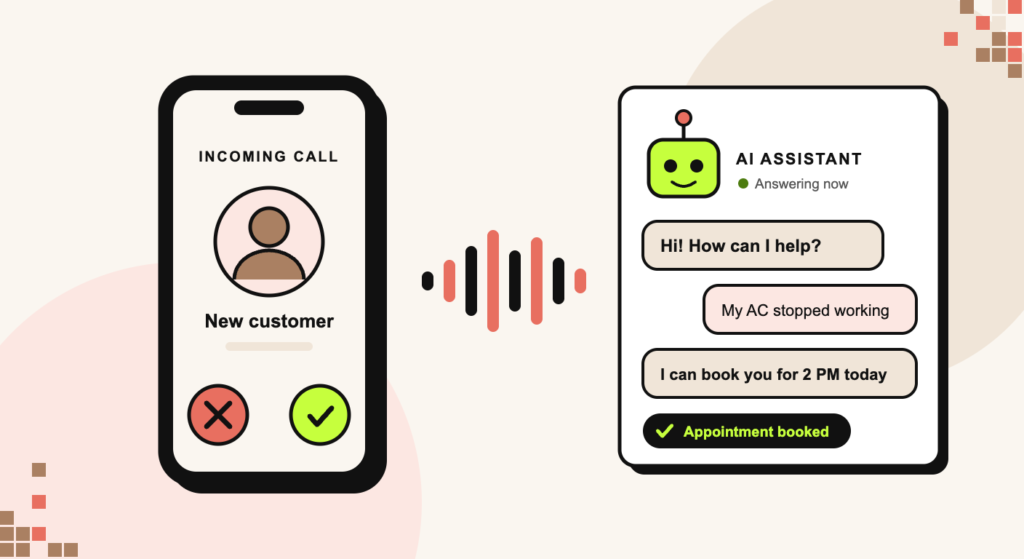
To automate customer service calls with AI, you connect three things: a phone system that can route calls programmatically, an AI voice agent that understands speech and responds in real time, and your CRM or scheduling software so the agent can actually do something. Most service businesses do not need all of it on day one – the highest-return starting point is handling the calls nobody is answering right now.
This guide covers what the technology can genuinely do in 2026, what it still cannot, how to roll it out without damaging customer experience, and what it costs.
On This Page
- The Four Levels of Call Automation
- Where to Start: The Calls You Are Already Losing
- What You Actually Need to Build It
- Rolling It Out in Six Steps
- What to Automate and What to Leave Alone
- The Ways This Goes Wrong
- Disclosure, Consent, and Recording
- What It Costs
- How to Tell If It Is Working
- Frequently Asked Questions
The Four Levels of Call Automation
“AI answering the phone” covers four quite different things, and confusing them is how businesses end up buying the wrong one:
| Level | What it does | Best for |
|---|---|---|
| Missed-call text-back | Sends an automatic text the instant a call goes unanswered | Everyone. Cheapest, fastest payback |
| Smart routing and screening | Identifies the caller and the reason, then routes or takes a message | Businesses with more than one person answering |
| AI voice agent (conversational) | Holds a real conversation, answers questions, books appointments | High call volume, repetitive questions, after-hours |
| Full agent with system access | Looks up accounts, reschedules, quotes, updates the CRM live | Established operations with clean data |
Most service businesses get the majority of the available value from the first level and a well-scoped version of the third. The fourth is where projects stall, because it depends on your data being tidy – and it usually is not.
Where to Start: The Calls You Are Already Losing
Before automating anything, count what you are missing. Pull your call log and total up missed calls, after-hours calls, and calls that went to voicemail without a callback. For most local service businesses that number is uncomfortable – often a quarter or more of inbound calls, and those are the highest-intent people you have.
Automating a call you already answer well saves a little time. Automating a call you currently drop entirely creates revenue. Start with the second. The simplest version – an instant text back to every missed call – takes an afternoon to set up and recovers jobs immediately, which we broke down in how missed-call text-back saves you money.
Automate the gap first, the workload second.
What You Actually Need to Build It
- A programmable phone number. A business line you control through software rather than a carrier-only landline. This is what lets anything else hook in.
- An AI voice platform. This is the piece that converts speech to text, decides what to say, and speaks back – fast enough that the caller does not notice the gap. Latency is the difference between a usable agent and one people hang up on.
- A knowledge source. Your services, pricing rules, service area, hours, and the twenty questions you get every week, written down properly. This is the work everyone underestimates and it determines the quality of the whole thing.
- A calendar and CRM connection. Without it the agent can take a message but cannot book, which removes most of the benefit.
- A clean escalation path to a human. Non-negotiable. Every agent needs a reliable way to hand off, and the caller needs to be able to trigger it by asking.
You can assemble this yourself from separate tools, or use a platform that bundles the phone system, the AI agent, the calendar, and the CRM in one place. For most small service businesses the bundled route is far less brittle – fewer integrations to break, one place to look when something misfires.
Rolling It Out in Six Steps
- Write down your call flows first. List the five most common reasons people call. For each, write the questions you need answered and what a successful outcome looks like. Do this before you evaluate any software – it will tell you what you need.
- Build the knowledge base. Services, pricing or pricing ranges, service area boundaries, hours, what you do not do, and how you handle emergencies. Vague inputs produce an agent that sounds confident and is wrong.
- Start with after-hours only. Point the agent at evenings and weekends first. The stakes are lower, the alternative is voicemail, and you get real transcripts to learn from before it touches a daytime caller.
- Listen to every call for the first two weeks. Not a sample. Every one. You will find gaps in the first ten that you would never have predicted.
- Tighten, then expand. Once after-hours is handling its calls cleanly, add overflow during business hours – calls that ring more than four times.
- Connect the booking. Last, not first. An agent that books directly into your calendar only works once the conversation itself is reliable.
What to Automate and What to Leave Alone
Good candidates: hours and location questions, service area checks, appointment booking and rescheduling, status updates, basic qualification before a callback, after-hours intake, and routing to the right person.
Leave to a human: genuine emergencies, complaints, anything involving a refund or a dispute, complex quotes with judgment calls, and any caller who is clearly frustrated. The last one matters most – an agent that cannot detect frustration and hand off quickly will cost you customers faster than it saves you time.
The Ways This Goes Wrong
- No escape hatch. If a caller cannot reach a person by asking, you have built a wall, not a service.
- Trapping people in a loop. After two failed attempts to understand something, hand off. Always.
- Pretending to be human. Callers work it out, and discovering it after the fact damages trust more than being told up front ever would.
- Automating the complaint line. The calls that most need a human are the ones businesses most want to offload. Resist it.
- Launching everywhere at once. Flipping every call to AI on day one guarantees your worst failures happen in front of your best customers.
- Setting it and forgetting it. Your services, prices, and service area change. An agent quoting last year’s information is worse than voicemail.
Disclosure, Consent, and Recording
Two things to get right before you go live, neither of them difficult:
- Tell people they are talking to an AI assistant. Several US states now require disclosure when an automated system interacts with consumers, and the direction of regulation is clearly toward more of it. Beyond compliance, a short up-front line – “Hi, I am the virtual assistant for Smith Plumbing” – sets expectations and measurably reduces hang-ups.
- Handle recording consent properly. Texas is a one-party consent state for call recording, so recording your own business calls is generally permissible here. But your callers will not all be in Texas, and several states require all parties to consent. The safe standard is to announce recording at the start of every call.
This is general information, not legal advice. Rules on AI disclosure and call recording vary by state and are changing quickly – check with your attorney before launch.
What It Costs
Pricing generally combines a platform subscription with per-minute usage:
- Missed-call text-back alone: often bundled into CRM platforms at little or no extra cost, and typically the fastest payback of anything on this list.
- AI voice agent: commonly a monthly platform fee plus a per-minute charge for calls handled. Budget on your real call minutes, not a headline rate.
- Setup and configuration: the knowledge base and call flows are the real cost, whether you build them or pay someone. Expect this to be the largest line item in month one and near zero afterwards.
The comparison to run is not against zero. It is against a live answering service, or against the value of the jobs currently going to voicemail. If you miss ten calls a week and your average job is worth $400, the arithmetic usually settles the question quickly.
How to Tell If It Is Working
- Answer rate. The share of inbound calls that get a response at all. This should jump immediately.
- Containment rate. Calls fully handled without a human. Useful, but never optimize it at the expense of the next one.
- Escalation rate and reasons. Read the reasons weekly – it is the best list of what to fix.
- Booked appointments from automated calls. The number that matters.
- Hang-ups in the first fifteen seconds. A rising number here means your opening is not working.
Frequently Asked Questions
How do I automate customer service calls with AI?
Start by documenting your five most common call types and the information each one needs. Put your services, pricing, hours, and service area into a written knowledge base. Connect a programmable business phone number to an AI voice platform, point it at after-hours calls first, review every transcript for two weeks, then expand to daytime overflow and connect your calendar for booking. Keep a human handoff available at every point.
Can AI really handle a phone call without sounding robotic?
For scoped, predictable conversations – booking, hours, service area, basic qualification – yes, and most callers complete them without difficulty. Where it still shows is in interruptions, heavy background noise, strong accents, and emotionally charged calls. Design for those to reach a person rather than trying to solve them with a better prompt.
Do I have to tell callers they are talking to an AI?
Increasingly yes – a number of US states require disclosure when an automated system interacts with consumers, and more are adding it. It is also simply better practice: a one-line introduction reduces hang-ups and prevents the trust damage that comes from a caller realizing it later. Check your specific obligations with an attorney.
Will this replace my receptionist?
For most small service businesses, no – it replaces voicemail and the after-hours gap. The realistic outcome is that the person answering your phone stops spending their day on hours-and-location questions and spends it on the calls that need judgment. Businesses that try to remove the human entirely usually reverse it within a few months.
What is the difference between an AI voice agent and a chatbot?
Channel and expectations. A chatbot handles text on your website, where people tolerate a pause and can re-read. A voice agent handles live speech, where a one-second delay is noticeable and there is no scrollback. Voice is harder to do well and worth more when it works, because phone calls from local searches convert far better than chat. We covered the text side in how AI chatbots are changing local service businesses.
What should I automate first?
Missed-call text-back, then after-hours call answering. Both target calls you are currently losing entirely, so the downside is close to zero and the upside is immediate. Daytime call handling and live booking come after you have transcripts telling you how your callers actually talk.
Do I need to be technical to set this up?
No, but you do need to be precise. The hard part is not the software – it is writing down your services, boundaries, and edge cases clearly enough for an agent to follow. If you can brief a new receptionist well, you can brief an AI agent. Our beginner’s guide to automating your service business is a good starting point.
Start With One Call Type
The businesses that get value from this do one thing at a time. Pick your after-hours calls, get the agent handling them properly, read the transcripts, and expand only when that is genuinely working. The ones that struggle try to automate everything in week one and turn it all off in week three.
Fresh Bread Digital builds AI and automation systems for service businesses across the San Antonio to Austin corridor, and the full picture of where call automation fits is in our AI and automation guide. If you want to know how many calls you are actually missing, book a strategy call and we will go through your call log with you.
Ready to stop losing jobs to your competitors?
Let's build a custom growth plan for your business. We'll show you exactly how to get 10-20 more jobs every month.
Get My Free Growth Plan →Grow Your Business With Fresh Bread Digital
Ready to turn these insights into real results? Explore the services that make it happen.


Stop watching competitors win the jobs that should be yours.
Book a free 30-minute strategy call. We'll show you where your next jobs are coming from and what it takes to win them — even if you've been burned by agencies before.
Contact Information
Phone
Hours
Mon–Fri, 8:00 AM – 5:00 PM CST