


What Is the Google Map Pack?

Rob Petruccello
Fresh Bread Digital
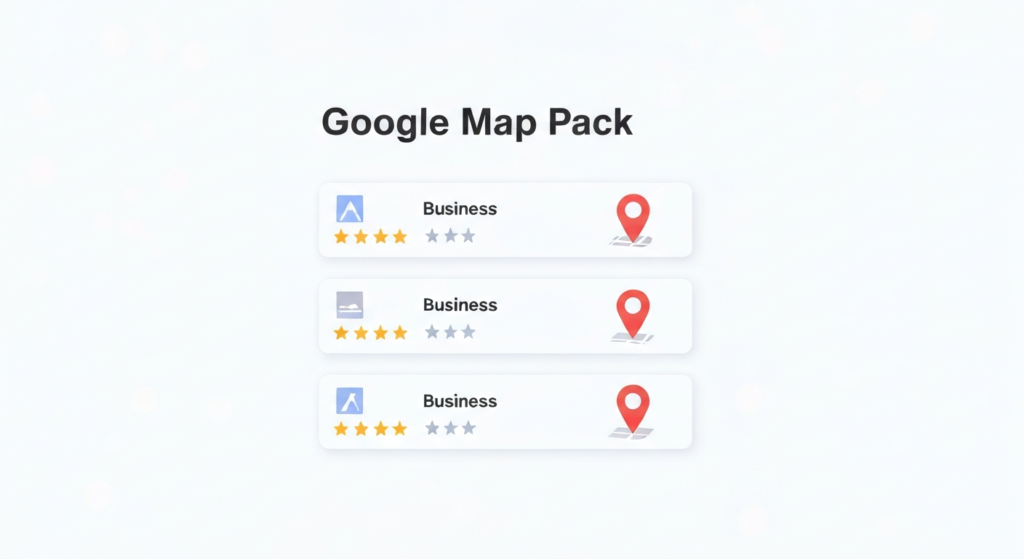
The Google Map Pack is the block of three local business listings that appears beside a map in Google search results. It sits below the ads and above the regular website results, and it shows each business’s name, star rating, review count, category, hours, and a button to call or get directions – all without anyone clicking through to a website.
You will also see it called the Local Pack, the 3-Pack, the Snack Pack, or the local map results. They all mean the same thing.
In One Line
The Map Pack is Google’s answer to “which nearby businesses should I call?” – three listings, chosen by relevance, distance, and prominence, shown on the search page itself.
On This Page
What a Map Pack Listing Actually Shows
Each of the three results is pulled from a Google Business Profile, not from the business’s website. A typical listing displays:
- Business name and primary category
- Star rating and review count – usually the first thing people compare
- Open or closed status and today’s hours
- Neighborhood or distance from the searcher
- Call, Directions, and Website buttons
- A photo, and often a line of review text or an attribute like “Veteran-owned” or “Free estimates”
- Booking or quote-request links, where the category supports them
That is the important part: a searcher can compare three businesses and dial one of them without ever loading a website. The listing is the storefront.
When Google Shows a Map Pack
Google shows a Map Pack when it reads local intent in the search. That happens in three situations:
- Explicit location. “roofing contractor in New Braunfels,” “dentist Seguin TX.”
- Near me phrasing. “plumber near me,” “auto detailing near me.”
- Implicit local intent. Just “emergency AC repair” or “tow truck.” Google infers that nobody searching this wants a company four states away, and serves local results based on where the searcher is.
That third case is the one businesses forget. A huge share of local searches never name a city at all – Google supplies the location silently.
You will not see a Map Pack for searches with no local intent (“what is a heat pump”) or for most national product searches. And for hotels and lodging, Google swaps in a different hotel-specific unit with dates and prices instead.
Map Pack vs Organic Results vs Ads
A local search page can stack four different things, and they are ranked by four different systems:
| Result type | Where it comes from | Paid? |
|---|---|---|
| Local Services Ads | Google-screened vendor program, charged per lead | Yes |
| Google Ads / search ads | Keyword auction, charged per click | Yes |
| Map Pack | Google Business Profiles, ranked by local algorithm | Mostly free |
| Organic results | Web pages, ranked by the main search algorithm | Free |
Two things follow from this. First, ranking number one organically does not put you in the Map Pack – they are separate systems with separate inputs. Plenty of businesses own the blue links and are invisible on the map, and the reverse is just as common.
Second, Google does sell one sponsored slot at the top of the Map Pack, which is why “mostly free” is the honest answer. Paying for it has no effect on the three organic local positions underneath. If you are weighing the paid options, we compare them in Google Ads vs Local Services Ads.
Map Pack vs Local Finder vs the Maps App
These three get mixed up constantly, and the difference matters when you are checking your own rankings:
- The Map Pack is the three-result block on the normal Google search page.
- The Local Finder is the expanded list you reach by clicking “More places” or the map itself. It shows dozens of businesses with filters. Being fourth in the Local Finder is not the same as being in the Map Pack, and it produces a fraction of the calls.
- Google Maps – the app and maps.google.com – is its own surface with its own result list, fed by the same Business Profiles.
All three draw from the same data, but they rank slightly differently and a business can perform well in one and poorly in another. When someone says they want to rank higher on Google Maps, the three-result Map Pack is almost always what they actually mean, because that is where the volume is.
How Google Picks the Three
Google names three factors:
- Relevance – how well the business profile matches what was searched. Driven mainly by the primary category, the services listed, and the business description.
- Distance – how far the business is from the searcher, or from a location named in the search.
- Prominence – how well known the business is, based on reviews, citations, links, and overall web presence.
Because distance is measured from the searcher, the Map Pack is not one fixed ranking. Two people searching the same phrase from opposite ends of the same city routinely see two different sets of three businesses. There is no single “number one” to win.
The full breakdown of what to do about each factor is in our step-by-step guide to ranking higher on Google Maps.
Why It Matters More Than Page One
The Map Pack takes the most valuable space on a local search page – above the organic results, below only the ads – and it answers the searcher’s question in place. For service businesses, three things make it disproportionately valuable:
- The intent is immediate. Someone searching “emergency plumber” on a phone is not researching. They are choosing who to call in the next ninety seconds.
- The action is one tap. A call button removes every step between seeing you and reaching you. No website visit, no form, no drop-off.
- The comparison is pre-made. Three businesses, side by side, ratings visible. Being fourth does not mean slightly less business – it means being outside the comparison entirely.
For a local service business, the Map Pack is not a ranking. It is the shortlist.
Frequently Asked Questions
What is a map pack in SEO?
In SEO, “map pack” refers to the group of three local business listings Google displays next to a map for searches with local intent. It is ranked by Google’s local algorithm using Google Business Profile data, separately from the organic web results below it.
Why are there only three results?
Google settled on three as the number that fits cleanly on a phone screen while still offering a choice. It used to show seven. Clicking “More places” opens the Local Finder, where the full ranked list lives.
Is the Map Pack the same as Google Maps?
No. The Map Pack is a block inside regular Google search results. Google Maps is a separate product with its own interface and its own result ordering. Both pull from the same Google Business Profiles, so the work that improves one usually improves the other.
Does it cost anything to appear in the Map Pack?
No. The three main listings are free and cannot be bought. Google does sell one sponsored slot above them, but that ad does not influence the organic local rankings beneath it.
Do I need a physical address to appear?
You need a verified address to create a Google Business Profile, but you do not need a storefront. Service-area businesses can hide the address and define a service area instead. Rankings still radiate outward from the verified address.
Can one business show up in the Map Pack in several cities?
It can, but not easily and not by listing more cities. Because distance is a ranking factor, appearing in a city you are not located in requires enough prominence to overcome the distance gap, supported by genuine content and reviews tied to that area.
How do I get my business into the Map Pack?
Claim and verify your Google Business Profile, set the correct primary category, complete every field, and build reviews consistently. Our nine-step Google Maps ranking guide covers the whole process in order.
Next Steps
If you now want the practical version, start with the step-by-step guide to ranking higher on Google Maps, or read our complete local SEO guide for service businesses for how the Map Pack fits alongside the rest of local search.
Fresh Bread Digital builds and manages local SEO campaigns for service businesses across the San Antonio to Austin corridor. If you want to know why your competitors are in the three-pack and you are not, book a strategy call.
Ready to stop losing jobs to your competitors?
Let's build a custom growth plan for your business. We'll show you exactly how to get 10-20 more jobs every month.
Get My Free Growth Plan →Grow Your Business With Fresh Bread Digital
Ready to turn these insights into real results? Explore the services that make it happen.


Stop watching competitors win the jobs that should be yours.
Book a free 30-minute strategy call. We'll show you where your next jobs are coming from and what it takes to win them — even if you've been burned by agencies before.
Contact Information
Phone
Hours
Mon–Fri, 8:00 AM – 5:00 PM CST